QA checklist before every SaaS release: 50+ critical tests (2026)
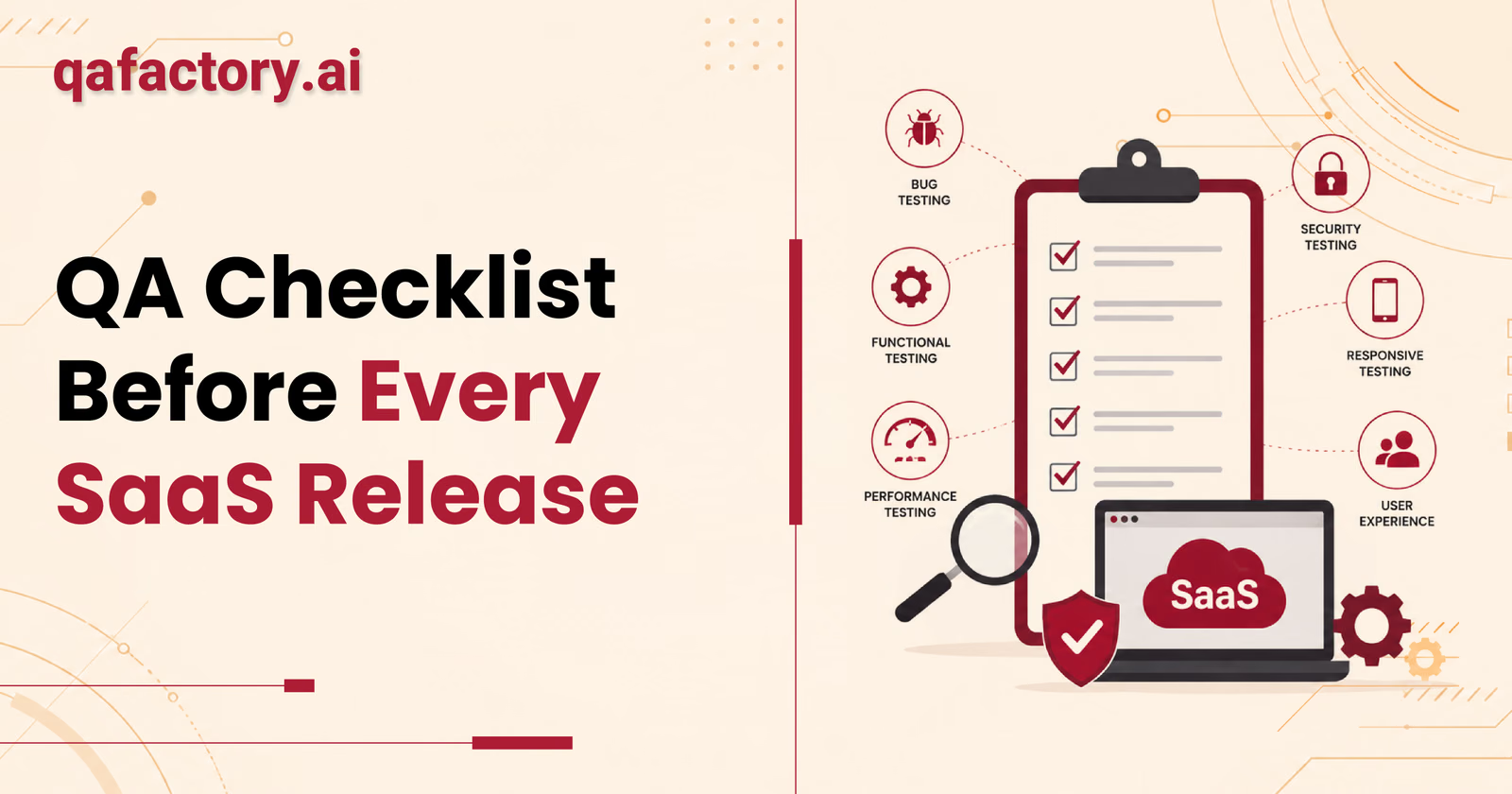
A QA checklist before a SaaS release is a structured set of verification tasks that engineering and QA teams complete before deploying software to production. It covers functional testing, regression testing, security validation, performance checks, and deployment configuration — ensuring every release is stable, secure, and ready for real users before it goes live.
Introduction: why SaaS releases fail — and what you can do about it
Shipping software is one of the most high-stakes moments in any SaaS company's lifecycle. Every release carries risk — and without a rigorous QA process, that risk lands directly on your users, your revenue, and your reputation.
The reasons SaaS releases fail are consistent and preventable. Teams rush deployments to meet deadlines. Regression testing gets skipped because "nothing in that area changed." Third-party integrations go untested. Mobile experience gets overlooked. And rollback plans? Often nonexistent until something breaks at 2 a.m. on a Friday.
The cost of catching a bug in production is dramatically higher than catching it before release. According to research published by the National Institute of Standards and Technology (NIST), software defects cost the U.S. economy tens of billions of dollars annually, with post-deployment defects being significantly more expensive to fix than those caught during testing. The later a bug is found, the more expensive it becomes — in engineering hours, customer churn, and damaged trust.
This is exactly why a pre-release QA checklist is not optional. It is your last line of defense before code reaches real users. This article gives you a complete, field-tested QA checklist before every SaaS release — covering 50+ critical test areas across functional testing, security, performance, integrations, deployment configuration, and more.
What is a QA checklist before a SaaS release?
A QA checklist before a SaaS release is a comprehensive, repeatable document that defines every test, verification step, and sign-off condition required before software is deployed to a production environment.
It ensures that every build deployed to production has passed a minimum quality threshold across all critical system areas — from core features and user flows to database integrity, security posture, and infrastructure configuration.
The benefits of using a pre-release QA checklist:
- Reduces the probability of production incidents
- Creates a repeatable, auditable release process
- Aligns engineering, QA, and product teams on release standards
- Builds institutional knowledge about what "production-ready" means
- Reduces emergency rollbacks and hotfix deployments
Who should use a release QA checklist: engineering managers and QA leads running release cycles, CTOs setting quality standards, SaaS founders shipping without a full-time QA department, product managers coordinating go/no-go decisions, DevOps engineers managing CI/CD pipelines, and software agencies releasing client applications.
Why every SaaS team needs a release QA checklist
- Faster release cycles with fewer incidents — counterintuitively, teams that implement structured QA checklists tend to release faster over time. Catching issues before production means fewer engineering hours spent on hotfixes and emergency patches.
- Lower production bug rate — a consistent quality gate means every release follows the same verification path, rather than relying on individual memory or ad hoc testing. This consistency reduces the variability that causes production bugs.
- Better customer experience — a single broken payment flow, failed authentication, or corrupted data export can trigger churn — particularly in B2B SaaS, where enterprise buyers have zero tolerance for reliability issues.
- Reduced rollback risk — when teams skip pre-deployment testing, rollbacks become the default emergency response. A comprehensive checklist dramatically reduces the scenarios where a rollback becomes necessary.
- Improved engineering confidence — teams that release through a defined QA process report higher confidence in their deployments. Everyone understands what "ready" means before the release goes out.
The complete SaaS QA checklist: 50+ critical test areas
The following checklist is organized by category. Each section reflects real-world test areas that QA professionals validate before production deployments.
1. Functional testing
Functional testing confirms that every feature works as designed from the end user's perspective.
- All new features work as specified in the acceptance criteria
- Existing features continue to work correctly — no regressions introduced
- User flows are complete and navigable end-to-end
- Form validations display correct error messages
- Edge case inputs are handled gracefully (empty fields, special characters, max-length values)
- All CRUD operations (create, read, update, delete) function correctly
- Pagination, sorting, and filtering return accurate results
- UI elements render correctly with expected behavior (modals, dropdowns, tooltips)
2. Regression testing
Regression testing verifies that recent code changes have not broken previously working functionality. This is one of the most frequently skipped steps — and one of the most costly to skip.
- Run the full regression suite against the release candidate
- Validate all previously reported bugs remain fixed
- Verify that hotfixes from prior releases have not re-introduced issues
- Confirm integration points between modules remain intact
- Check shared components and UI libraries for unexpected behavior changes
For teams managing frequent release cycles, dedicated regression testing services can significantly reduce the manual overhead of this step.
3. Smoke testing
Smoke testing confirms that the build is stable enough to begin detailed testing.
- Application launches successfully in the target environment
- Core user journeys complete without critical errors
- Authentication works for all user roles
- Primary navigation renders without errors
- API endpoints return expected responses
4. API testing
- All API endpoints return correct HTTP status codes
- Request and response payloads match documented schemas
- Authentication tokens are validated correctly on protected routes
- Rate limiting is enforced as configured
- Error responses include appropriate messages without exposing sensitive data
- APIs handle malformed requests gracefully
- Versioning is consistent across all endpoints
5. Database validation
- Migrations run successfully without errors
- Schema changes are backward compatible — or migration rollback is verified
- Data integrity constraints (foreign keys, unique indexes) are enforced
- No orphaned records exist after migration
- Query performance has not degraded significantly
- Seed data and default configurations are correct in production
6. Authentication and authorization
- User login, logout, and session expiration work correctly
- Password reset and account recovery flows function as expected
- Multi-factor authentication (MFA) enforces correctly where required
- OAuth and SSO integrations authenticate successfully
- Session tokens expire at configured intervals
- Unauthorized users cannot access protected routes or resources
7. Payment flow testing
For SaaS products with billing, this section is non-negotiable.
- Subscription creation, upgrade, and downgrade flows complete successfully
- Payment failures display appropriate error messages without data loss
- Refund and cancellation workflows execute correctly
- Trial expiration logic triggers accurately
- Billing email notifications fire at the correct events
- Payment provider webhooks are received and processed correctly
- PCI compliance controls remain in place
8. User roles and permissions
- All defined user roles (admin, manager, viewer, etc.) have correct access levels
- Role-based access control (RBAC) prevents unauthorized actions
- Newly created users receive correct default permissions
- Permission changes take effect immediately without requiring re-login
- Audit logs record permission changes accurately
9. Third-party integrations
- CRM integrations (Salesforce, HubSpot) sync data correctly
- Analytics integrations (Segment, Mixpanel, Google Analytics) fire expected events
- Communication integrations (Slack, Intercom, Zendesk) receive correct data
- Cloud storage integrations (AWS S3, Google Cloud Storage) read and write successfully
- Any integration using OAuth completes the authorization flow correctly
- Webhook deliveries are confirmed and retry logic functions as expected
10. Notification testing
- Email notifications send from the correct sender address
- Notification content is accurate and free of placeholder text
- In-app notifications display and dismiss correctly
- Push notifications deliver on expected trigger events (mobile)
- Notification preferences and opt-outs are respected
11. Cross-browser testing
- Application functions correctly in Chrome, Firefox, Safari, and Edge
- Layout and styling are consistent across all tested browsers
- JavaScript behavior is consistent — no browser-specific errors
- Forms submit correctly across all browsers
- File uploads and downloads work in all tested environments
Tools like BrowserStack provide real device and browser testing environments that support this step.
12. Responsive and mobile web testing
- Layout adapts correctly at mobile, tablet, and desktop breakpoints
- Touch interactions (tap, swipe, pinch) behave correctly on mobile
- Text remains readable without horizontal scrolling on small screens
- All interactive elements are accessible on touch devices
- Modals and overlays behave correctly on small viewports
13. Mobile app testing
For SaaS products with native iOS or Android applications:
- App installs and launches on target OS versions
- Core user flows complete on both iOS and Android
- Push notification permissions and delivery function correctly
- App handles network interruptions gracefully
- Deep links navigate to correct in-app screens
- App store compliance requirements are satisfied
14. Accessibility testing
WCAG 2.1 compliance is increasingly a legal and commercial requirement in the United States.
- All images include descriptive alt text
- Color contrast ratios meet WCAG 2.1 AA standards
- All interactive elements are keyboard navigable
- Screen reader compatibility is verified for primary user flows
- ARIA labels are present and accurate on complex components
- Focus indicators are visible and logical
15. Performance validation
- Page load times meet defined thresholds (Core Web Vitals: LCP, CLS, FID/INP)
- API response times are within acceptable limits under expected load
- No memory leaks introduced in the current build
- Database query execution times have not degraded
- CDN cache hit rates are within expected ranges
16. Security validation
Per OWASP guidelines, security validation should be a mandatory step before every production release.
- No new SQL injection vulnerabilities introduced
- Cross-site scripting (XSS) protections are in place
- Cross-site request forgery (CSRF) tokens are validated
- Sensitive data (passwords, tokens, PII) is not exposed in logs or API responses
- Security headers (Content-Security-Policy, X-Frame-Options, HSTS) are correctly configured
- Dependency vulnerabilities have been scanned and addressed using tools like Dependabot or Snyk
17. Logging and monitoring
- Application logs are generating correctly in the production environment
- Error logging captures stack traces without exposing sensitive user data
- Log aggregation tools (Datadog, New Relic, Splunk) are receiving data
- Alerting rules are configured and tested
- Dashboards reflect production traffic correctly post-deployment
18. Backup and rollback verification
- Database backup was successfully completed before deployment begins
- Rollback procedure is documented and tested
- Rollback can be executed within the team's defined recovery time objective (RTO)
- Deployment team confirms who has authority to initiate a rollback
- Previous stable build is tagged and accessible in version control
19. Analytics validation
- User tracking events fire correctly on key interactions
- Conversion tracking is accurate for primary goals (signups, upgrades, activations)
- UTM parameters pass through correctly to analytics platforms
- No duplicate event firing introduced by the new release
- Funnel reporting reflects correct step sequence
20. Error tracking
- Error tracking tool (Sentry, Bugsnag, Rollbar) is connected to the production environment
- A test error triggers correctly and appears in the error dashboard
- Error grouping and alerting thresholds are configured
- Previously resolved errors are confirmed not re-emerging
21. Feature flag validation
- Feature flags are set to correct states for production (enabled or disabled as planned)
- Rollout percentages are configured correctly for gradual releases
- Feature flag toggling does not cause application errors
- Flags for deprecated features are cleaned up
22. Release notes and documentation
- Release notes are written, reviewed, and published — both internal and customer-facing
- API documentation is updated to reflect any endpoint changes
- User-facing help documentation is updated for new or changed features
- Changelog is accurate and complete
23. CI/CD pipeline checks
- All automated tests pass in the CI pipeline against the release candidate
- Build artifacts are correctly versioned
- Deployment scripts are tested in a staging environment
- Deployment pipeline has appropriate approval gates
- No hardcoded credentials exist in pipeline configuration
24. Production configuration
- Environment variables are correctly set for production
- Feature flags and configuration toggles reflect production settings
- Third-party API keys are valid and have appropriate production rate limits
- Email sending domain is authenticated (SPF, DKIM, DMARC records verified)
- Error pages (404, 500) are correctly configured
25. DNS and SSL verification
- SSL certificates are valid and not approaching expiration
- DNS records resolve correctly for all application domains and subdomains
- HTTPS redirects from HTTP are functioning correctly
- Certificate chain is complete and trusted by major browsers
26. Environment validation
- Staging environment was used for final pre-production validation
- Production environment matches the infrastructure specification
- No staging-only configuration exists in the production build
- Database connection strings and credentials point to production databases
27. Cache validation
- Application cache is cleared or correctly invalidated post-deployment
- CDN cache purge is executed for updated static assets
- Browser cache-busting mechanisms (versioned asset filenames) are functioning
- Redis or Memcached cache layers are consistent with new data structures
28. Search and filters
- Search returns accurate, relevant results
- Filters apply correctly and combine logically (AND/OR behavior)
- Search handles special characters and empty queries without errors
- Results pagination is accurate
29. File upload validation
- Accepted file types are enforced correctly
- File size limits are enforced and surface appropriate error messages
- Uploaded files are stored in the correct location and accessible post-upload
- Upload progress indicators function correctly
- Malicious file upload attempts are blocked
30. Email workflow testing
- Transactional emails send correctly (welcome, confirmation, password reset)
- Email templates render correctly in major email clients (Gmail, Outlook, Apple Mail)
- Unsubscribe links function correctly and update user preferences
- Email sequences trigger at correct intervals
- Emails are not routing to spam for standard deliverability tests
31. Reporting and data export
- Reports generate accurately with correct data
- Data exports (CSV, PDF, Excel) download successfully
- Exported data matches what is displayed in the UI
- Large dataset exports complete without timeout errors
- Scheduled reports fire at configured intervals
Final go / no-go checklist
Before any release is approved for deployment, all of the following must be confirmed:
- All P0 and P1 defects are resolved and verified
- Regression suite has passed with zero critical failures
- Staging environment validation is complete
- Rollback plan is documented and the team is briefed
- Database backup is confirmed
- Product manager and QA lead have signed off
- Monitoring and alerting are active in production
- Release communication is ready for internal teams and customers
Common mistakes teams make before release
Even experienced engineering teams fall into predictable pre-release traps. Here are the most damaging ones:
- Rushing the deployment to meet an arbitrary deadline — deadlines are real, but shipping broken software almost always costs more time than a one-day delay would have.
- Skipping regression testing because "we only changed one thing" — in interconnected SaaS systems, no change is truly isolated. Unintended regressions are among the most common causes of production incidents.
- Ignoring edge cases — users will always find the path your team did not test. Empty states, maximum data limits, and unusual input combinations need to be part of every pre-release checklist.
- Not testing third-party integrations — APIs change. Rate limits shift. Authentication tokens expire. Third-party integrations need active validation before every release — not just during initial setup.
- Overlooking mobile testing — a significant share of SaaS users access applications on mobile devices. Skipping mobile QA leaves a large portion of your user base exposed to broken experiences.
- Having no rollback plan — every production release should have a clearly documented, tested rollback procedure. "We will figure it out" is not a rollback plan.
Manual QA vs automated QA: what your release process needs
Both manual and automated QA play distinct, complementary roles in a pre-release testing strategy. Neither approach alone is sufficient for a production-ready SaaS release.
| Criterion | Manual QA | Automated QA |
|---|---|---|
| Best for | Exploratory testing, UX validation, edge cases, new features | Regression suites, smoke tests, API testing, repetitive flows |
| Speed | Slower for large test sets | Fast for large test sets once written |
| Setup cost | Low upfront | Higher upfront investment |
| Maintenance | Low | Requires ongoing maintenance as the product evolves |
| Accuracy for UX issues | High — humans notice visual and usability issues | Low — automation does not evaluate subjective experience |
| Coverage for known flows | Moderate | High |
| Tools | Jira, TestRail, spreadsheets, human judgment | Playwright, Cypress, Selenium, Postman, k6 |
A mature release QA checklist for web applications uses automated testing for speed and coverage on known paths, while manual QA handles new features, exploratory scenarios, and anything requiring human judgment.
Why regression testing matters more than teams realize
Regression testing is the process of verifying that recent code changes have not broken previously working functionality. In SaaS products, where new features are shipped continuously and codebases grow increasingly interconnected, regression risk compounds with every release.
Teams that do not run regression testing before deployments often discover — through production incidents — that a seemingly unrelated change broke a critical user flow that had been working for months. A structured regression suite that runs automatically through your CI/CD pipeline ensures that every release candidate is validated against the full scope of known working behavior — not just the features touched in that sprint.
When should you hire a QA partner?
Many teams reach a point where in-house QA capacity cannot keep pace with release velocity. Here are the scenarios where bringing in a dedicated QA partner makes sense:
- Startups preparing for launch — early-stage SaaS products often launch without a formal QA function. A QA partner can establish a testing process, identify critical gaps, and validate the product before it reaches paying customers.
- SaaS companies scaling release frequency — as engineering teams grow and release cycles accelerate, the complexity of QA grows exponentially. A QA partner provides scalable capacity without the overhead of full-time hires.
- Software agencies — agencies delivering client software often lack the QA resources to thoroughly test every project. A QA partner extends their quality capabilities without requiring internal headcount.
- Enterprise teams managing compliance — enterprise products often carry regulatory and security requirements. A QA partner with relevant expertise ensures releases meet those standards before deployment.
- Any team that has experienced a production incident — an incident caused by an untested scenario is a signal that your current QA process has gaps that need to be addressed before the next release.
Why QAFactory is built for SaaS release QA
QAFactory.ai is a specialized QA partner built for SaaS companies, software agencies, and engineering teams that take release quality seriously. Here is what QAFactory brings to your pre-release process:
- Manual QA with structured documentation — exploratory testing, edge case validation, and user flow verification — producing clear, actionable bug reports with video evidence, so your engineers understand exactly what needs to be fixed.
- Test automation — automated test suites built and maintained with Playwright, Cypress, and Selenium — enabling continuous regression coverage integrated directly into your CI/CD pipeline.
- API testing — every API endpoint is validated for correctness, security, and performance — ensuring your integrations are production-ready before release.
- Mobile QA testing — native iOS and Android applications and mobile web experiences tested across real devices, not just simulators.
- Cross-browser and device testing — using BrowserStack and real device labs to validate your application across the browsers and devices your users actually use.
- Video bug reports — every bug discovered includes a screen-recorded video, reducing the time your engineers spend trying to reproduce issues.
- Free 48-hour QA audit — a rapid, structured evaluation of your application's current quality state, delivered within 48 hours.
- QA outsourcing — flexible QA outsourcing services that scale with your release schedule, for teams that want ongoing coverage without building an internal department.
Frequently asked questions
What is a QA checklist before a SaaS release?
A QA checklist before a SaaS release is a structured list of verification tasks that engineering and QA teams complete before deploying new software to production. It covers functional testing, regression testing, security validation, performance checks, API testing, deployment configuration, and final go/no-go sign-off criteria.
How many tests should be on a pre-release QA checklist?
The number depends on the complexity of your product. For a typical SaaS application, a thorough release QA checklist should cover at minimum 50 distinct test areas, spanning functional testing, regression testing, security, performance, third-party integrations, cross-browser compatibility, mobile testing, and deployment configuration.
What is the difference between smoke testing and regression testing?
Smoke testing is a quick, high-level check to confirm that a build is stable enough to proceed with deeper testing — the application launches, authentication succeeds, and primary APIs respond. Regression testing is a comprehensive validation that confirms no previously working functionality was broken by recent code changes.
How often should regression testing be run before a SaaS release?
Regression testing should be run before every production release, without exception. For teams using CI/CD pipelines, an automated regression suite should run on every pull request merge to a main or release branch — catching regressions as early as possible, not just at the end of the release cycle.
What security checks should be included in a pre-release QA checklist?
Based on OWASP guidelines: SQL injection prevention verification, cross-site scripting (XSS) protection validation, CSRF token enforcement, sensitive data exposure checks ensuring passwords, tokens, and PII do not appear in logs or API responses, security header configuration covering CSP, HSTS, and X-Frame-Options, and dependency vulnerability scanning.
Should manual QA or automated QA be used for pre-release testing?
Both are necessary and serve different purposes. Automated QA handles regression suites, smoke tests, and API validation efficiently at scale — particularly valuable in CI/CD pipelines. Manual QA is essential for new feature testing, exploratory testing, UX validation, and edge case scenarios that automation cannot anticipate.
What should a go/no-go decision before a SaaS release include?
It should be based on all P0 and P1 defects being resolved and verified, the regression suite passing with no critical failures, staging environment validation being complete, a documented and tested rollback plan existing, database backups being confirmed, monitoring and alerting being active in production, and formal sign-off from the QA lead, engineering manager, and product manager.
How do you test payment flows before a SaaS release?
Payment flow testing should cover successful subscription creation, upgrade, and downgrade flows using test payment credentials, payment failure scenarios and error message accuracy, refund and cancellation workflows, billing email trigger verification, payment provider webhook receipt and processing confirmation, and trial expiration logic.
When should a SaaS company hire a QA partner instead of handling QA internally?
A SaaS company should consider hiring a QA partner when release velocity exceeds the capacity of the internal QA function, when production incidents are occurring due to untested gaps, or when scaling automation/regression suites requires dedicated expertise without expanding local full-time headcount.
Conclusion
A rigorous QA checklist before every SaaS release is the difference between shipping with confidence and shipping and hoping. Every category in this checklist — from functional testing and regression coverage to security validation, payment flows, and rollback planning — represents a real failure mode that teams encounter in production when these checks are skipped.
The most effective release processes treat quality as a gate, not an afterthought. They run structured pre-deployment testing checklists on every release, maintain automated regression coverage, and ensure that manual QA covers the scenarios that automation cannot.
If you are not confident your current QA process covers all the critical areas in this checklist, the most practical next step is an independent review. In 48 hours, you will have a clear picture of where your product stands — before your users discover it for you.
About this article: this checklist was prepared by the QAFactory team as a practical, field-tested reference for engineering and product leaders. It reflects current industry practice as of 2026.