Manual Testing Services That Catch What Your Pipeline Waves Through
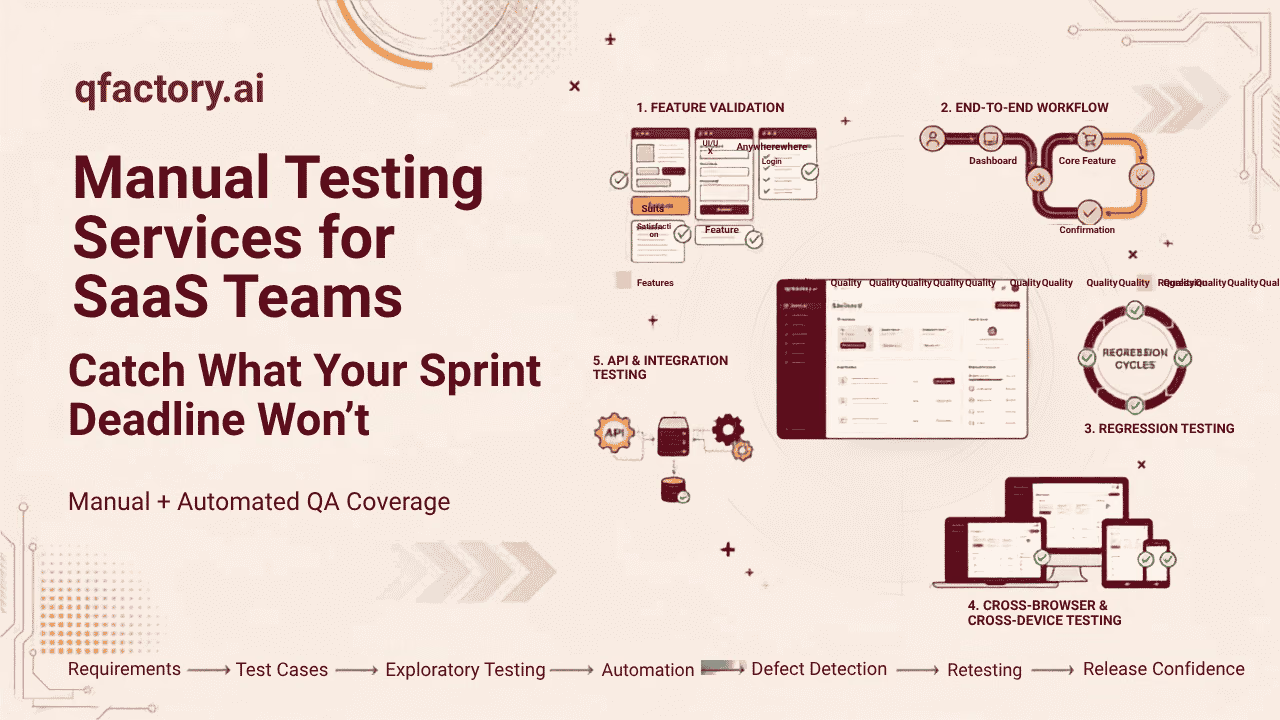
Manual testing services are human-executed QA engagements — session-based exploratory testing, usability checks, and cross-device verification — built to catch defects automated suites structurally can’t see: unscripted UX friction, multi-tenant state leaks, and payment edge cases, before customers find them first.
Your pipeline is green. That’s not the same as working.
Nobody’s automated suite is broken. It’s running exactly as written, checking exactly what someone thought to assert three sprints ago. That’s the catch — it can only verify what it already knows to look for.
A returning customer opens their dashboard and, for a few seconds, sees a different tenant’s data because a cache key didn’t scope correctly. Nothing in CI failed. A user proration on a mid-cycle downgrade calculates against the old plan price instead of the new one. Nothing threw an error. A support agent can’t tab past a promo banner to reach the login form, because the banner absorbed focus and nobody using a mouse would ever notice. All three ship clean.
This isn’t a knock on automation — regression testing and end-to-end suites earn their keep on stable, repeated flows. The problem is what gets asked of them instead. Three areas keep slipping through no matter how mature the pipeline is:
- UX friction with nothing to assert against. The form submits. The confirmation just renders below the fold on a laptop screen, so half your users think it failed and click submit again.
- Multi-tenant state leaks. Automated tests run in clean, seeded environments. Production doesn’t work that way — stale permissions, cached tenant IDs, and feature flags that didn’t reset between sessions all behave differently under real, messy traffic. Our team has written up the specific isolation failures this causes in a deeper breakdown of multi-tenant SaaS testing.
- Payment and billing edge cases. A failed webhook retry lands a few seconds after a manual retry from support. A partial refund on a bundled line item rounds to the wrong cent. These aren’t rare — they’re just too combinatorial to script exhaustively, so most teams script the happy path and hope.
Not sure how much of this is already slipping through your own pipeline? Request a free 48-hour QA audit and get an outside view of where the gaps actually are.
What manual QA actually covers
Three capabilities, and none of them are “have a person poke at the app for a while.”
Session-based exploratory testing
Each session runs against a written charter — a specific flow, a time box, a stated mission (“stress-test coupon stacking on the checkout page during a plan downgrade”). Findings are logged as they happen, and a session that turns up nothing still produces a report. That matters more than it sounds like: a clean session confirms you actually looked, instead of leaving a silent gap in your coverage map.
Usability and WCAG 2.2 verification
Keyboard-only navigation, screen reader announcements, focus order, contrast — checked by a human actually using the interface the way an affected user would, not by a scanner grading the markup. Automated accessibility tools catch structural issues (missing labels, bad contrast ratios) but have no way to tell you whether a screen reader user can actually complete a task. Testers work against the W3C’s WCAG 2.2 success criteria directly, not a simplified checklist.
Cross-device and cross-browser matrix testing
Real hardware, prioritized by whatever device mix your analytics actually show — not a generic top-ten list. Rendering breaks, touch-target sizing, and viewport-specific layout bugs get caught on the phones and browsers your users are actually holding.
Manual vs. automated: where each one earns its place
| Dimension | Manual testing | Automated testing |
|---|---|---|
| Time to first coverage | Same-day — no framework or fixtures needed | Slower — scripts have to be written and maintained |
| Cost for a one-off feature | Lower for exploratory or pre-release coverage | Higher; pays off only with repeated runs |
| Edge-case catch rate | High — human judgment finds unscripted paths | Low — bounded by what was pre-written |
| Regression efficiency | Weak — repetitive checks eat time and get sloppy | Strong — built for stable, repeated flows |
| UX and accessibility judgment | Strong — perceives actual friction | Weak — validates markup, not experience |
| Best fit | New features, pre-release sprints, exploratory audits | Core flows, CI/CD gating, smoke tests |
Neither column replaces the other. Automation gates the pipeline; manual testing charters the release.
How an engagement actually runs
- 1 Charter designBefore anyone touches the app, we sit down with your engineering lead and scope the risk: which flows, which environments, which changes in this release actually threaten revenue or trust. Charters get written against your real acceptance criteria, not a generic template pulled off the shelf.
- 2 ExecutionTesters work the charters in time-boxed sessions against real devices and production-equivalent environments, logging every action and finding as it happens — not reconstructed from memory afterward.
- 3 Reproducible bug reportingEvery defect ships with exact steps, environment and account state, and video or screenshots, plus a severity rating tied to business impact rather than a generic P1–P4 label. Format is whatever your tracker needs — no extra translation step for your engineers.
- 4 Fix verificationOnce a fix deploys, we re-run the original charter against the patched build and check adjacent flows for regression before it hits production. Finding a bug is half the job; confirming the fix actually holds is the other half, and it’s the half most vendors skip.
The math: a scoped sprint vs. an incident you didn’t see coming
A charter-scoped 48-hour manual QA pass typically costs a fraction of what a single production incident actually runs once you count everything: engineer hours pulled into a hotfix, support tickets from affected customers, any credits or refunds issued, and — on a billing bug — the compliance conversation nobody wants to have.
Run your own numbers. Take your fully-loaded engineering hour rate, multiply by the hours your team spent on the last unplanned hotfix, then add support triage time. Compare that to what a scoped sprint would have cost before that release shipped. For most teams that ship weekly, the sprint is cheaper than one bad afternoon of incident response — and it happens before a customer ever sees the problem, not after.
Ready to compare your current process against a structured framework? Talk to a QA expert and walk through your release process together.
Frequently asked questions
What’s the actual difference between manual testing and just having QA people click around?
Every session runs against a written charter tied to a specific flow and risk area, with a time box and a documented outcome — not open-ended clicking. You get a report even when a session finds nothing, because that confirms coverage instead of leaving a gap you don’t know about.
Can this slot into a sprint we’re already mid-way through?
Yes. Engagements are scoped in 48-hour blocks, so a charter can be written against a feature branch before code freeze and re-run for verification right after the fix ships, without waiting for your next planning cycle.
We already have decent automated coverage. Why would we need this?
Automated coverage tells you the assertions you wrote still pass. It won’t tell you a modal traps keyboard focus, that a discount code stacks incorrectly with a coupon, or that tenant B can see tenant A’s cached dashboard for three seconds after login — because nobody wrote a test case for something they didn’t know to look for.
How do you make sure a bug report doesn’t just bounce back with “can’t reproduce”?
Every defect includes exact steps, the environment and account state it happened in, and video or screenshots, formatted to drop straight into your tracker. If a bug can’t be reproduced on a second pass, it doesn’t ship as a bug — it ships as a flagged observation with the conditions we tried.
Does manual QA cover accessibility, or is that a separate engagement?
It’s part of the standard scope. Testers manually check keyboard-only navigation, screen reader announcements, and focus order against WCAG 2.2 AA, because automated scanners flag missing alt text but can’t tell you whether a screen reader user can actually finish checkout.
Scope a manual QA sprint before your next release
If your last release shipped a bug your pipeline should have caught but structurally couldn’t — that’s not a tooling failure, it’s a coverage gap only a human closes. Related reading: functional testing services, mobile app QA, and what user acceptance testing actually involves if you’re weighing where manual QA fits in your process.
Request a free 48-hour QA audit to see where your current testing process stands, or talk to a QA expert to discuss a manual QA approach built around your release cycle. Book a demo →
About this article: this guide was prepared by the QAFactory team based on hands-on experience running manual QA engagements for SaaS companies. It is intended as a practical reference for engineering and product leaders evaluating manual testing services, and reflects current industry practice as of 2026.