Test environment management: the complete enterprise guide for SaaS and engineering teams
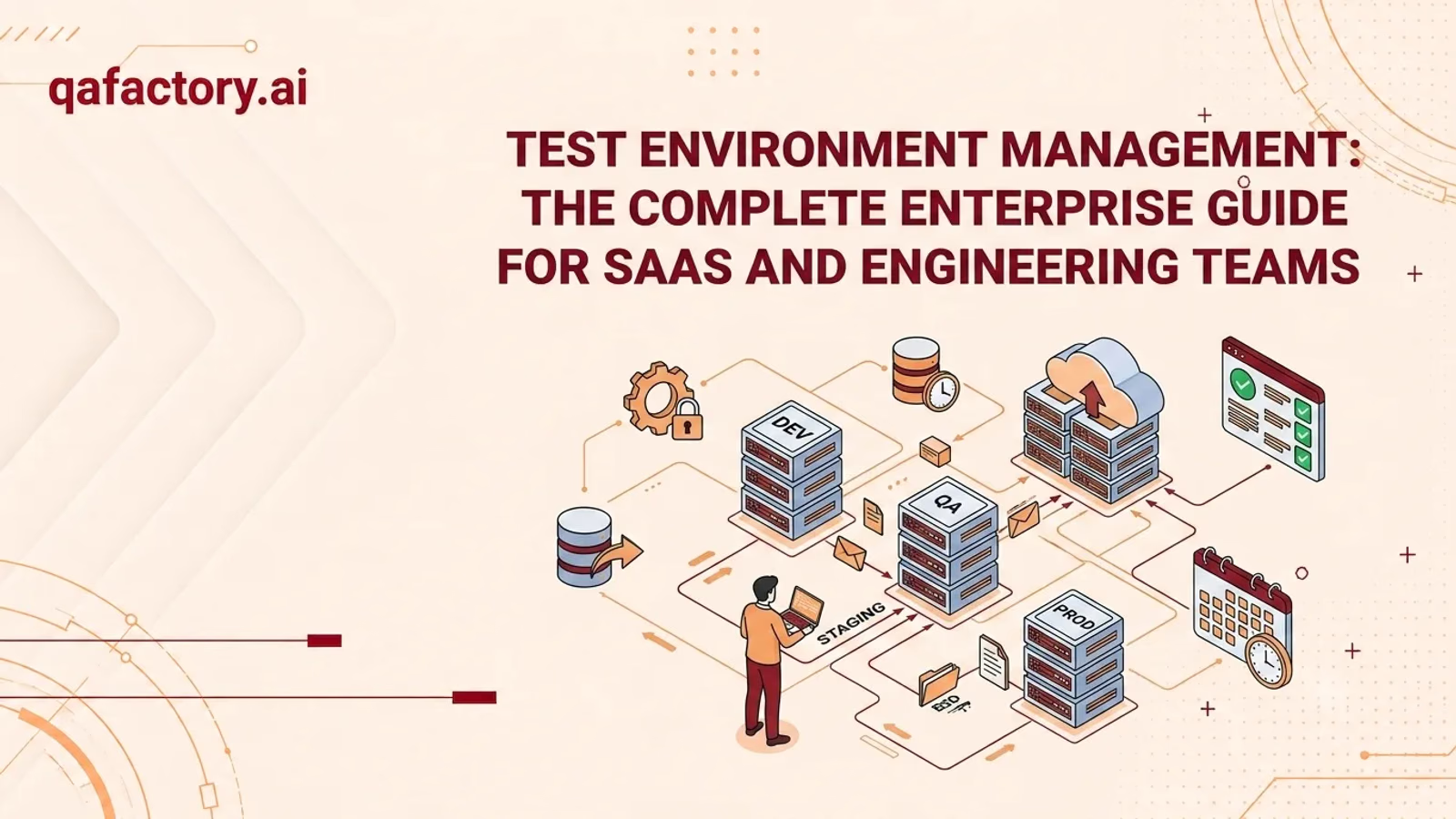
Test Environment Management (TEM) is the discipline of planning, provisioning, configuring, securing, and retiring the infrastructure and data used to test software before it reaches production. It covers development, QA, staging, and UAT environments, and ensures they stay consistent, available, and production-like. Done well, TEM reduces release risk, prevents “it worked on staging” failures, and speeds up delivery.
Every engineering leader has lived through some version of the same story. A feature passes every test in staging. QA signs off. The release goes out on a Friday afternoon, and by Monday morning the incident channel is on fire. Nobody broke the code. What broke was the environment the code was tested in.
This is the quiet failure mode of modern software delivery, and it rarely gets the attention it deserves. Teams invest heavily in test case design, automation frameworks, and CI/CD pipelines, but the environments those tests actually run in are treated as an afterthought — a shared VM nobody owns, a staging database that hasn’t been refreshed in months, a configuration file that drifted three sprints ago and nobody noticed.
Why environment management matters comes down to a simple truth: a test is only as trustworthy as the environment it runs in. If staging doesn’t resemble production, a passing test tells you very little about what will happen after deployment. SaaS products make this structurally harder — they ship continuously, often multiple times a day, across microservices, third-party integrations, feature flags, and multi-tenant data models. Each of those variables multiplies the number of environment states a team has to keep coherent.
Most staging environments fail for the same handful of recurring causes: manual configuration nobody documents, environments built once and never revisited, test data that no longer reflects real-world usage, or infrastructure that has silently diverged from production over time. None of these are exotic problems. They are the predictable result of treating environments as static assets instead of living systems that need lifecycle management like any other piece of infrastructure.
This guide is a deep, practical reference for CTOs, VPs of Engineering, QA Managers, Engineering Managers, DevOps Engineers, SaaS founders, and Software Architects who want to build a test environment strategy that scales with their release cadence rather than fighting it. It covers environment types, lifecycle stages, provisioning models, drift prevention, test data management, automation, monitoring, a complete checklist, a maturity model, and an original framework — the PREPARE Framework — for structuring environment management end to end.
What is test environment management?
Test Environment Management is the ongoing practice of planning, provisioning, configuring, monitoring, and retiring the technical environments — servers, containers, databases, networks, third-party service mocks, and configuration — in which software is tested throughout its development lifecycle. It is not a single tool or a one-time setup task; TEM spans people, process, and infrastructure.
- People — who owns each environment, who can request changes, and who is accountable when something breaks.
- Process — how environments are requested, provisioned, refreshed, and decommissioned.
- Infrastructure — the actual compute, storage, network, and data that make up the environment.
The core purpose of test environment management is to make sure that when a test passes, that result is trustworthy — and when a test fails, the failure is caused by a real defect, not by environment inconsistency, stale data, or configuration drift.
Strong TEM delivers value in ways that are easy to underestimate until they’re missing:
- Faster releases, because engineers and QA teams aren’t waiting on environment availability or debugging environment-caused failures
- Fewer production incidents caused by untested configuration differences
- Lower infrastructure cost through better environment lifecycle discipline — no more forgotten environments running 24/7
- Better cross-team collaboration because environment ownership and access are clear
- Audit and compliance readiness, particularly around test data handling, since regulated industries need to demonstrate that production data isn’t mishandled in lower environments
Why SaaS teams need test environment management
SaaS delivery models create environment pressure that traditional, infrequent-release software simply doesn’t face.
- Continuous deployment. When code can ship to production multiple times per day, there is no room for a slow, manual environment refresh cycle. Environments need to be as fast and repeatable as the pipelines feeding them.
- Multiple concurrent releases. Feature branches, hotfixes, and parallel workstreams often need isolated environments running simultaneously, rather than a single shared staging environment that becomes a bottleneck.
- Cloud infrastructure. Elastic, on-demand infrastructure changes the economics of environment management. Teams can spin up ephemeral environments per pull request, but only if provisioning is automated and environment definitions are codified.
- Feature flags. Feature-flagged functionality means the “same” environment can behave differently depending on flag state. Test environments need to account for flag combinations, not just code paths.
- AI applications. AI-powered features introduce non-deterministic outputs, model versioning, and third-party API dependencies (LLM providers, vector databases) that traditional environment management practices weren’t designed around.
- Multi-tenant software. Multi-tenant SaaS platforms need test environments that can simulate tenant isolation, data segregation, and tenant-specific configuration — a level of complexity single-tenant testing never had to solve.
Types of test environments
| Environment | Primary purpose | Typical owner | Data used |
|---|---|---|---|
| Development | Individual developer work and unit testing | Developers | Local, mock, or synthetic data |
| QA | Functional, regression, and exploratory testing | QA team | Synthetic or masked data |
| Integration | Verifying interactions between services/APIs | Engineering/QA | Synthetic data with realistic service contracts |
| UAT | Business/stakeholder validation before release | Product/Business teams | Near-production or masked production data |
| Staging | Final pre-production validation, production parity | DevOps/Release Engineering | Masked production data (ideally) |
| Production | Live customer-facing environment | SRE/DevOps | Real customer data |
| Sandbox | Isolated experimentation, demos, third-party integration testing | Varies — Sales Engineering, Partners, Dev | Synthetic/demo data |
Each environment exists to answer a different question. Development answers “does this run at all?” QA answers “does this meet the requirements?” Integration answers “do these services agree with each other?” UAT answers “does this meet the business need?” Staging answers “will this behave the same way in production?” Sandbox answers “can this be explored safely by someone outside the core team?”
Confusing the purpose of these environments — for example, using staging as a de facto development environment — is one of the most common root causes of environment chaos.
The test environment lifecycle
Every test environment moves through six stages. Treating environments as disposable, lifecycle-managed assets — rather than permanent fixtures — is one of the single biggest shifts a team can make.
- 1 1. PlanningDefine the purpose of the environment, who will use it, what data it needs, what infrastructure it requires, and how long it should exist. Planning also means deciding environment ownership up front, before the environment is built.
- 2 2. ProvisioningStand up the actual infrastructure — compute, network, storage, and services — ideally through automated, codified processes rather than manual steps.
- 3 3. ConfigurationApply application configuration, environment variables, secrets, feature flag states, and integration credentials so the environment reflects the intended test conditions.
- 4 4. TestingThe environment is actively used for its intended purpose: manual testing, automated regression suites, exploratory testing, performance testing, or UAT.
- 5 5. MaintenanceEnvironments need active upkeep — patching, dependency updates, data refreshes, and drift correction — for as long as they remain in use. This is the stage most teams neglect, and neglect here is what produces environment drift.
- 6 6. RetirementEnvironments no longer needed should be decommissioned deliberately: infrastructure torn down, credentials revoked, and data securely deleted. Environments that are never retired quietly become both a security liability and a cost center.
Environment provisioning
How an environment gets built has a direct impact on how trustworthy and repeatable it is.
- Manual provisioning — engineers configure servers, install dependencies, and set environment variables by hand. Fast to start with, but doesn’t scale, is difficult to reproduce exactly, and is the primary source of environment drift and “works on my machine” problems.
- Automated provisioning — scripts, templates, or platform tooling build environments consistently and repeatably. This is the baseline expectation for any team practicing continuous deployment.
- Infrastructure as Code — tools like HashiCorp Terraform let teams define environments as version-controlled code, so an environment can be recreated identically, audited through pull requests, and rolled back like any other code change.
- Containers and orchestration — Docker packages applications and their dependencies into portable, consistent containers, eliminating a huge class of “different environment, different behavior” issues. Kubernetes orchestrates those containers at scale, handling scheduling, scaling, and self-healing — particularly valuable for spinning up and tearing down ephemeral test environments on demand.
- Cloud environments — cloud providers (AWS, Azure, Google Cloud) enable on-demand, elastic environment provisioning, letting teams create short-lived environments per feature branch or pull request and destroy them automatically once testing is complete, controlling both risk and cost.
| Factor | Manual provisioning | Automated provisioning |
|---|---|---|
| Setup speed (first time) | Faster to start | Requires upfront investment |
| Repeatability | Low — prone to human error | High — consistent every time |
| Drift risk | High | Low, if maintained |
| Scalability | Poor | Strong |
| Audit trail | Weak or nonexistent | Strong (version-controlled) |
| Best fit | One-off, throwaway environments | CI/CD, continuous deployment, ephemeral environments |
Provisioning technology comparisons
| Factor | Virtual machines | Containers |
|---|---|---|
| Startup time | Minutes | Seconds |
| Resource overhead | Higher (full OS per VM) | Lower (shared OS kernel) |
| Isolation | Strong, hardware-level | Process-level, generally sufficient for most test needs |
| Portability | Moderate | High |
| Best fit | Full OS-level testing, legacy systems | Microservices, CI/CD, ephemeral environments |
| Factor | Docker | Kubernetes |
|---|---|---|
| Core role | Packages and runs containers | Orchestrates containers across a cluster |
| Scale | Single host or small setups | Multi-node, production-scale |
| Self-healing | Not built-in | Built-in (restarts failed containers automatically) |
| Complexity | Lower | Higher, more operational overhead |
| Best fit | Local development, simple test environments | Large-scale, multi-service test environments |
| Factor | Infrastructure as Code | Manual setup |
|---|---|---|
| Reproducibility | Exact, version-controlled | Inconsistent |
| Change tracking | Full history via version control | Little to none |
| Speed at scale | Fast once templates exist | Slow, linear with environment count |
| Risk of drift | Low | High |
| Best fit | Any team scaling beyond a handful of environments | Very small teams, early-stage projects |
Environment parity and drift
Production parity means a test environment matches production closely enough that test results reliably predict production behavior — in infrastructure, configuration, data volume and shape, network topology, and third-party integrations. Perfect parity is rarely achievable and often not economically sensible; the goal is not perfection, it is understanding exactly where and why staging differs from production, and making sure those differences are known, documented, and accounted for in test coverage.
The most dangerous parity gaps are the ones nobody has flagged. Common failures include:
- Staging database seeded with a fraction of production’s data volume, hiding performance issues
- Third-party integrations mocked in staging but live in production, with behavioral differences
- Different infrastructure versions (OS, runtime, database engine) between staging and production
- Missing production-only configuration (CDN rules, rate limiting, security headers)
- Feature flags defaulting differently in staging vs. production
Environment drift is the gradual, often invisible divergence between what an environment is supposed to look like — as defined in code, documentation, or the original provisioning spec — and what it actually looks like after weeks or months of ad hoc changes.
- Causes — manual hotfixes applied directly to an environment, dependency updates applied inconsistently, configuration changes made to “just get a test passing” and never reverted, environments provisioned manually rather than from a codified template, and long-lived environments accumulating undocumented changes over time.
- Detection — compare an environment’s actual state against its intended state — its Infrastructure as Code definition, its configuration management baseline, or a last known-good snapshot. Automated configuration scanning and periodic environment audits are the most reliable methods; relying on someone “noticing” drift is not a strategy.
- Prevention — provision from Infrastructure as Code templates rather than manual steps, treat environment configuration as version-controlled code, rebuild environments periodically from source rather than patching indefinitely, restrict direct undocumented access to shared environments, and automate configuration validation as part of the CI/CD pipeline.
Ongoing drift monitoring — comparing live environment state against the codified baseline on a schedule — turns drift from a surprise into a routine, low-severity fix.
Test data management
Test data is as important to test reliability as the environment infrastructure itself. Testing against unrealistic, stale, or incomplete data produces false confidence.
- Synthetic data — artificially generated to resemble real data in structure and statistical properties without containing any actual customer information. The safest option from a privacy standpoint, and works well for most functional and regression testing, though it can miss edge cases present only in real-world data.
- Masked production data — starts from real production data but scrubs or obfuscates personally identifiable and sensitive fields before it’s used in lower environments. Preserves realistic data patterns and edge cases while reducing — though not eliminating — privacy risk, and requires a rigorous, well-governed masking process.
| Factor | Synthetic data | Masked production data |
|---|---|---|
| Privacy risk | Very low | Present unless masking is rigorous |
| Realism / edge case coverage | Lower, unless carefully modeled | High |
| Setup effort | Moderate (data generation tooling) | Moderate to high (masking pipeline) |
| Compliance burden | Low | Higher — requires governance and audit trail |
| Best fit | Development, unit, and most functional testing | Staging, UAT, performance testing |
Test data — synthetic or masked — needs a defined refresh cadence. Data that never refreshes becomes stale and stops reflecting current production patterns, schema changes, and edge cases; data refreshed haphazardly can break tests that depend on specific known records.
Any process that touches real customer data — even briefly, even for masking — needs clear governance: who can access it, how it’s transported, how it’s stored in lower environments, and how long it’s retained. Frameworks such as NIST’s guidance on data de-identification and general references like OWASP’s guidance on sensitive data exposure are useful starting points. Regulated industries (healthcare, finance) typically need this governance documented for audit purposes, not just practiced informally.
Environment automation and monitoring
- CI/CD integration — environment provisioning and teardown should be a first-class step in the CI/CD pipeline, not a manual side process. Tools like GitHub Actions can trigger environment creation on pull request open and teardown on merge or close, keeping ephemeral environments tightly scoped to the work they support.
- Environment creation — automated creation, driven by Infrastructure as Code and container orchestration, should be triggered by pipeline events rather than manual requests, cutting provisioning time from hours or days to minutes.
- Environment destruction — automated teardown is just as important as automated creation. Environments that outlive their purpose consume budget, accumulate drift, and expand the attack surface unnecessarily.
- Infrastructure automation — beyond individual environments, broader automation — auto-scaling test infrastructure, automated dependency patching, scheduled environment rebuilds — keeps the whole environment fleet healthy without constant manual intervention.
A test environment that silently goes unhealthy wastes far more time than one that fails loudly and immediately.
- Logs — centralized logging across test environments makes it possible to diagnose whether a test failure is a real defect or an environment issue.
- Metrics — CPU, memory, and response-time metrics for test environments reveal resource constraints that can cause flaky or misleading test results.
- Alerts — automated alerts for environment downtime, failed provisioning, or configuration drift prevent teams from discovering problems only after wasting hours debugging a “test failure” that was really an environment failure.
- Health checks — automated checks, run before a test suite executes, can catch a broken environment before it produces a batch of false failures.
- Availability — tracking environment uptime and provisioning success rate over time surfaces systemic reliability issues in the environment management process itself.
- Resource monitoring — right-sizing test environment infrastructure based on actual usage data avoids both performance-masking under-provisioning and wasteful over-provisioning.
20+ common test environment problems
- Shared staging environment causes test collisions. Multiple teams testing against the same environment simultaneously without isolation produces flaky, contradictory results — provide isolated, ephemeral environments per feature branch where feasible.
- Environment configuration undocumented. Environments set up manually and never recorded mean nobody can reliably rebuild them if they fail — define environments as Infrastructure as Code, with configuration in version control.
- Stale test data. With no defined refresh cadence, tests pass against unrealistic data and miss real-world defects — establish a scheduled, automated data refresh process.
- Production data used unmasked in lower environments. Usually happens when a masking pipeline was never built or shortcuts were taken under deadline pressure, creating serious privacy and compliance exposure — enforce mandatory masking before any production data reaches a non-production environment.
- No clear environment ownership. Ad hoc provisioning without assigned accountability means issues linger because no one feels responsible — assign a named owner to every environment.
- Environment drift from manual hotfixes. Engineers patching an environment directly to unblock testing means staging no longer reflects the codified baseline, undermining test validity — route all changes through the standard provisioning pipeline and rebuild rather than patch.
- Long environment provisioning times. A manual, non-automated process delays testing and release schedules — automate provisioning with Infrastructure as Code and containers.
- Staging environment undersized compared to production. Cost-control decisions made without considering test validity mean performance issues surface only after release — scale staging proportionally for performance-sensitive testing, or run dedicated performance environments.
- Third-party services mocked inconsistently. Mocks built once and never updated mean tests pass against a mock that no longer matches real-world behavior — periodically validate mocks against live API contracts.
- No environment monitoring. When monitoring investment is directed at production only, environment outages go undetected, wasting QA time on false failures — extend logging, metrics, and alerting to test environments.
- Environments never decommissioned. With no retirement process, nobody wants to delete something that “might still be needed,” driving up cloud costs and expanding security surface area — define and enforce environment lifecycle policies with automatic expiration.
- Secrets and credentials hardcoded in environment configs. A convenience during initial setup that’s never revisited becomes a security risk, especially where lower environments are less tightly access-controlled — use a dedicated secrets manager, not hardcoded values.
- Feature flags left in inconsistent states. Flags toggled manually for testing and not reset produce misleading outcomes, since features get tested in a state that won’t match production — automate flag state as part of environment configuration, tied to test scenarios.
- Test environment access uncontrolled. Access management deprioritized for “just a test environment” allows unauthorized or accidental changes to cause unpredictable failures — apply the same access control discipline as production, scaled appropriately.
- No environment parity documentation. Without a map of where staging and production genuinely differ, teams unknowingly rely on tests that can’t catch certain classes of defects — maintain a living parity document listing known differences and their risk implications.
- Multiple teams overwrite each other’s test data. A shared environment with no data isolation strategy causes tests to fail for reasons unrelated to the code under test — use tenant-based or namespace-based data isolation within shared environments.
- CI pipeline not integrated with environment provisioning. When environment management was built separately from CI/CD, manual coordination overhead delays test execution — trigger environment provisioning and teardown directly from pipeline events.
- No rollback plan for environment changes. Environment changes not treated with the same rigor as application code means a bad change can block testing for an entire team with no fast recovery path — version environment configuration and maintain a tested rollback procedure.
- Inconsistent environment naming and structure across teams. Environments that grew organically without a shared standard cause confusion and accidental testing against the wrong environment — standardize naming conventions and environment templates organization-wide.
- No visibility into environment costs. Test environment spend not tracked separately from production infrastructure leads to budget overruns from forgotten or oversized environments — tag and track test environment costs separately, with regular review.
- Manual UAT environment setup delays business sign-off. Treating UAT environments as a special case outside standard automation slips release timelines while waiting on environment readiness — bring UAT environments into the same automated provisioning process as QA and staging.
- Test environments used for informal production hotfix testing. With no sanctioned emergency-testing environment, shared test environments become unstable exactly when they’re needed most — maintain a dedicated, isolated environment for urgent hotfix validation.
20+ test environment management best practices
- Define environments as Infrastructure as Code so every environment is reproducible and version-controlled
- Assign a named owner to every environment, not just a team
- Automate provisioning and teardown through the CI/CD pipeline
- Use containers for consistency between development, QA, and staging
- Maintain a documented parity map showing exactly where staging differs from production
- Refresh test data on a defined, automated schedule
- Mask or synthesize all data used outside production — never use raw production data in lower environments
- Apply access controls to test environments proportionate to the sensitivity of the data they hold
- Monitor test environments with the same rigor as production (logs, metrics, alerts, health checks)
- Build ephemeral, per-branch environments for parallel development where infrastructure allows
- Store secrets in a dedicated secrets manager, never in plain configuration files
- Validate third-party service mocks periodically against live API contracts
- Establish an environment retirement policy with automatic expiration for temporary environments
- Standardize environment naming conventions across all teams
- Track environment infrastructure costs separately and review them regularly
- Run scheduled drift detection comparing live environments against their codified baseline
- Rebuild environments periodically from source rather than accumulating incremental patches
- Document feature flag states expected in each environment and automate flag configuration
- Integrate environment health checks into pipeline gates so broken environments block test runs early
- Include environment readiness as an explicit criterion in your Definition of Done
- Maintain a rollback path for environment configuration changes, just as you would for application code
- Involve QA early in environment design decisions, not just as consumers of a finished environment
20+ common test environment mistakes
- Treating staging as a permanent, unmanaged fixture instead of a lifecycle-managed asset
- Assuming “it passed in staging” is equivalent to “it will work in production”
- Letting engineers make undocumented manual changes directly to shared environments
- Using full, unmasked production data in QA or development environments
- Skipping environment health checks before running test suites
- Provisioning environments manually when automation is readily available
- Failing to assign clear ownership, leading to environments nobody maintains
- Ignoring configuration drift until it causes a production incident
- Under-scaling staging so performance issues never surface until release
- Hardcoding credentials or secrets into environment configuration files
- Never retiring old environments, allowing costs and risk to accumulate silently
- Treating test data management as an afterthought rather than a planned process
- Allowing feature flags to sit in arbitrary states between test runs
- Building third-party service mocks once and never revisiting them
- Applying weaker security controls to test environments than to production
- Not integrating environment provisioning into the CI/CD pipeline
- Failing to document known differences between environments
- Allowing multiple teams to share an environment without data or tenant isolation
- Not monitoring test environments, so failures are discovered only through wasted QA time
- Skipping a rollback plan for environment configuration changes
- Measuring environment success only by uptime, without tracking provisioning speed or drift incidents
- Assuming environment management is a one-time project rather than an ongoing capability
The PREPARE Framework
QAFactory developed the PREPARE Framework to give engineering and QA teams a structured, repeatable way to manage test environments across their full lifecycle. It is designed to be practical for teams of any size, from a five-person startup engineering team to a multi-hundred-person SaaS organization.
- 1 P — ProvisionEvery environment is created from a codified, version-controlled definition — never from memory or manual, undocumented steps. The goal is speed with consistency: an environment provisioned today should be functionally identical to one provisioned from the same template six months from now.
- 2 R — ReplicateIntentionally mirror production’s topology, dependencies, and configuration patterns as closely as is practical for the environment’s purpose. A development environment doesn’t need full replication; a staging environment used for pre-release validation needs it far more.
- 3 E — Environment parityFormalize parity as an ongoing discipline, not a one-time achievement. Maintain a living parity document, review it on a set cadence, and treat new parity gaps as tracked technical debt rather than invisible risk.
- 4 P — Protect test dataEvery environment’s data source is explicitly classified — synthetic, masked, or (for production itself) real — with a documented handling process for each, since this is where privacy, compliance, and test realism intersect.
- 5 A — AutomateCI/CD-integrated provisioning and teardown, automated configuration application, automated drift detection, and automated data refresh replace manual, error-prone steps wherever the return justifies the investment.
- 6 R — Release validationBefore any release, an explicit environment readiness check confirms the target environment is healthy, its configuration is current, its data is appropriately refreshed, and it reflects its documented parity state — turning “the environment should be fine” into a verified gate.
- 7 E — Evaluate continuouslyEnvironments are monitored on an ongoing basis — logs, metrics, drift detection, cost tracking — and the findings feed back into the Provision and Replicate phases, so the framework is a cycle, not a one-time project.
PREPARE is designed as a continuous loop: Evaluate Continuously feeds directly back into Provision. Mature teams run elements of all seven phases at once rather than treating environment management as a single setup project.
Test environment maturity scorecard
QAFactory’s Test Environment Maturity Scorecard helps teams honestly assess where they currently stand and identify the next concrete step forward.
| Level | Name | Characteristics |
|---|---|---|
| Level 1 | Ad Hoc | Environments are created manually, undocumented, and owned informally or not at all. Drift is common and usually discovered only after it causes a problem. |
| Level 2 | Managed | Environments are documented and have assigned owners. Provisioning is still largely manual, but a defined process exists and is generally followed. |
| Level 3 | Automated | Provisioning, configuration, and teardown are automated and integrated into the CI/CD pipeline. Infrastructure as Code is standard practice. Parity gaps are documented. |
| Level 4 | Optimized | Environments are ephemeral and self-service, drift is detected and corrected automatically, test data is fully governed, and environment health metrics feed continuous improvement across the organization. |
| Dimension | Level 1: Ad Hoc | Level 2: Managed | Level 3: Automated | Level 4: Optimized |
|---|---|---|---|---|
| Provisioning | Manual, undocumented | Manual, documented | Automated (IaC, CI/CD) | Self-service, ephemeral |
| Ownership | Unclear | Assigned per environment | Assigned with defined SLAs | Embedded in team workflow |
| Drift management | Reactive, after incidents | Periodic manual review | Scheduled automated checks | Continuous automated detection and correction |
| Test data | Ungoverned, ad hoc | Basic masking process | Automated masking/synthetic generation | Fully governed, policy-enforced |
| Monitoring | None | Basic uptime checks | Logs, metrics, alerts | Full observability with feedback loops |
| Release validation | Not formalized | Informal checklist | Automated readiness gate | Continuous validation integrated into deployment |
There is no publicly available industry-wide benchmark for what percentage of organizations sit at each level, so treat this scorecard as a diagnostic tool for identifying your own next step, not a comparison against external statistics.
50-point test environment management checklist
Organized by category. Use it as a working document, not a one-time exercise.
A. Planning & ownership (items 1–8)
- 1. Environment purpose is documented. Prevents scope creep and misuse, like using staging as an informal dev environment — define and enforce purpose boundaries.
- 2. Environment owner is assigned. A named individual or team drives maintenance, rather than ownership defaulting to “whoever set it up” — assign and document ownership formally.
- 3. Environment lifecycle stage is tracked. Labeling each environment’s current stage prevents forgotten or zombie environments — maintain a live environment inventory.
- 4. Access requirements are defined. Documenting who needs access, and at what level, limits security exposure from broad, unmanaged grants — apply least-privilege access by default.
- 5. Environment budget is estimated. Estimating infrastructure cost before provisioning avoids surprises when the monthly cloud bill arrives — tag and forecast environment costs at planning time.
- 6. Retirement criteria are defined. Documenting conditions for decommissioning prevents indefinite, unmanaged environment sprawl — set expiration dates or usage-based retirement triggers.
- 7. Dependencies are mapped. Listing all services, APIs, and integrations an environment depends on speeds up troubleshooting instead of discovering dependencies only when something breaks — maintain a dependency map per environment.
- 8. Compliance requirements are identified. Documenting regulatory requirements (data residency, privacy law) avoids violations from considering compliance only for production — apply compliance review to any environment touching real or masked customer data.
B. Provisioning & infrastructure (items 9–17)
- 9. Environment is defined as Infrastructure as Code. A Terraform, CloudFormation, or equivalent definition ensures reproducibility instead of existing only as manual configuration — codify every environment definition.
- 10. Provisioning is automated. Creating environments via pipeline trigger rather than manual steps speeds delivery and reduces error — automate through CI/CD.
- 11. Containerization is used where appropriate. Running application components in containers reduces “works on my machine” issues from inconsistent runtime versions — standardize on containerized deployments.
- 12. Environment scaling matches its purpose. Right-sized infrastructure avoids under-scaled environments hiding performance issues from cost-cutting on performance-critical test environments — scale proportionally for performance and load testing.
- 13. Network configuration mirrors production where relevant. Reflecting firewall rules, load balancing, and routing prevents a simplified network setup from hiding production-only issues — replicate critical network configuration in staging.
- 14. Provisioning time is tracked. Measuring time from request to usable environment identifies bottlenecks that go invisible without monitoring — set and monitor provisioning time targets.
- 15. Ephemeral environments are supported for branch-level testing. Isolated environments per feature branch or pull request prevent test collisions from all teams sharing one staging environment — enable per-branch ephemeral environments where infrastructure allows.
- 16. Teardown is automated. Automatically destroying environments no longer needed controls cost and reduces attack surface, versus environments left running indefinitely — automate teardown tied to pipeline events or expiration policies.
- 17. Rollback procedure exists for environment changes. A tested process to revert a bad environment change minimizes downtime instead of leading to extended outages with no rollback plan — version and test environment rollback procedures.
C. Configuration & parity (items 18–27)
- 18. Environment variables are documented and version-controlled. Storing configuration values in a managed, auditable system prevents undocumented, inconsistent configuration from manual, untracked changes — store configuration as code with change history.
- 19. Secrets are managed securely. Credentials stored in a dedicated secrets manager reduce leakage risk versus secrets hardcoded in config files or scripts — use a secrets management tool with access controls.
- 20. Feature flag states are defined per environment. Documenting expected flag configuration prevents misleading test results from flags toggled ad hoc and left inconsistent — automate flag state as part of environment setup.
- 21. Parity gaps are documented. Writing down known differences between staging and production makes risk visible instead of hidden — maintain and review a living parity document.
- 22. Dependency versions match production where critical. Aligning database, runtime, and library versions for high-risk components avoids version mismatches hiding real defects — align critical dependency versions across environments.
- 23. Third-party integrations reflect real behavior. Validating mocks and sandboxes against live API contracts periodically prevents stale mocks producing false test confidence — schedule periodic mock/contract validation.
- 24. Configuration drift is checked on a schedule. Automated comparison of live state against the codified baseline catches drift before it causes failures, instead of after a production incident — automate scheduled drift detection.
- 25. Environment naming follows a standard convention. Consistent naming across teams and environment types reduces confusion and accidental misuse from inconsistent, team-specific schemes — enforce an organization-wide naming standard.
- 26. Time zone and locale settings match target production configuration. Explicitly configuring locale to match production avoids common, easy-to-miss locale-related bugs from unchanged defaults.
- 27. SSL/TLS and security headers reflect production standards. Mirroring production security configuration prevents security-related defects going undetected from headers disabled “for convenience” in test environments.
D. Test data management (items 28–35)
- 28. Data source is classified for each environment. Labeling every environment’s data synthetic, masked, or production enables appropriate governance instead of unclear data provenance — document data classification per environment.
- 29. Production data is never used unmasked outside production. Restricting all non-production environments to synthetic or masked data avoids raw production data copied to staging “temporarily” — enforce mandatory masking with no exceptions.
- 30. Masking process is validated. Testing the masking pipeline confirms sensitive fields are actually obfuscated, rather than assuming masking works without verification — periodically audit masked data for residual sensitive information.
- 31. Data refresh cadence is defined. A schedule for refreshing test data avoids stale data reducing test relevance after initial setup — automate data refresh on a defined schedule.
- 32. Synthetic data covers realistic edge cases. Generated data including boundary and edge-case scenarios, not just happy-path records, avoids missing real defects from overly uniform synthetic data — model synthetic data generation on real-world data distributions.
- 33. Data retention policy is enforced in test environments. Deleting test data per a defined retention policy reduces compliance exposure from indefinitely accumulating data — automate data expiration in line with policy.
- 34. Data access is logged. Logging and auditing access to test data, especially masked production data, supports compliance and incident investigation instead of leaving no audit trail — enable access logging on all data stores containing sensitive-derived data.
- 35. Tenant data isolation is tested where applicable. Properly simulating tenant boundaries in multi-tenant test data catches high-severity isolation bugs, since test data that doesn’t reflect real segregation hides them — explicitly test cross-tenant data isolation using representative test data.
E. Automation & CI/CD (items 36–41)
- 36. Environment provisioning is triggered by pipeline events. Creating environments automatically on relevant triggers (e.g. PR open) removes manual bottlenecks from ticket-based requests — integrate provisioning directly into CI/CD.
- 37. Automated tests run against freshly provisioned environments. Executing test suites automatically once an environment is ready reduces delay versus manual triggering — chain test execution automatically after provisioning.
- 38. Environment health checks run before test execution. Confirming environment health before tests begin prevents wasted runs and test failures misdiagnosed as code defects when the environment was actually down — gate test execution on passing health checks.
- 39. Configuration changes are deployed through the pipeline. Enforcing no direct, out-of-pipeline changes preserves the reliability of Infrastructure as Code, instead of manual changes made “just this once” — enforce all changes through version-controlled pipeline deployments.
- 40. Rollback of environment changes is automated. Automatically reverting a failed environment deployment minimizes downtime versus manual, slow recovery — automate environment rollback as part of the deployment pipeline.
- 41. Environment automation is tested itself. Validating provisioning and configuration scripts before relying on them avoids broken automation being worse than no automation — include automation scripts in your own test coverage.
F. Monitoring & release readiness (items 42–50)
- 42. Logs are centralized across test environments. Feeding logs into a central, searchable system speeds up root cause analysis instead of scattering them across individual servers or containers.
- 43. Resource metrics are monitored. Tracking CPU, memory, and disk usage reveals resource constraints causing flaky results, rather than having no visibility into environment resource usage.
- 44. Alerts are configured for environment downtime. Automated alerts notify the environment owner of outages, preventing wasted QA time versus downtime discovered by a confused tester.
- 45. Environment uptime is tracked over time. Historical uptime data identifies chronically unreliable environments needing investment, rather than having no data to justify infrastructure improvements.
- 46. Release readiness checklist includes environment verification. Explicitly checking environment health and parity status before release prevents sign-off happening without confirming environment integrity — add environment verification as a formal release gate.
- 47. Cost monitoring is in place. Tracking and reviewing environment infrastructure spend prevents runaway or forgotten costs from having no cost attribution to specific environments.
- 48. Post-incident reviews include environment factors. Considering whether environment issues contributed to an incident prevents recurring environment-caused incidents from being overlooked in root cause analysis.
- 49. Environment management process is periodically reviewed. Reassessing the overall TEM process on a regular cadence catches practices that worked at a smaller scale breaking down as the organization grows.
- 50. Lessons learned feed back into environment design. Formalizing a feedback loop from monitoring, incidents, and audits back into environment templates turns environment management into a continuously improving system instead of repeating the same mistakes across projects.
Frequently asked questions
What is Test Environment Management?
Test Environment Management (TEM) is the practice of planning, provisioning, configuring, monitoring, and retiring the infrastructure and data used to test software before release. It ensures test environments stay consistent, secure, and representative of production, so test results can be trusted.
Why is environment parity important in software testing?
Environment parity determines how predictive a test result actually is. If a staging environment differs significantly from production in configuration, data, or scale, a passing test provides false confidence, and defects that only appear under production-like conditions go undetected until after release.
What is the difference between staging and production?
Staging is a pre-release environment used to validate software under production-like conditions before it reaches real users. Production is the live environment serving actual customers. Staging should closely mirror production’s configuration and data patterns, though rarely at identical scale.
What causes environment drift?
Environment drift is usually caused by manual, undocumented changes made directly to an environment — hotfixes, configuration tweaks, or inconsistent dependency updates — that are never reflected back into the environment’s source-of-truth definition, causing it to diverge over time.
How do you prevent configuration drift in test environments?
Prevent drift by defining environments as Infrastructure as Code, routing all changes through a version-controlled pipeline rather than manual edits, and running scheduled automated checks that compare an environment’s live state against its intended baseline.
What is Infrastructure as Code and why does it matter for testing?
Infrastructure as Code (IaC) is the practice of defining infrastructure through machine-readable configuration files rather than manual processes. For testing, IaC makes environments reproducible, auditable through version control, and quick to recreate consistently, which directly reduces environment-caused test failures.
Should test data be synthetic or masked production data?
Both have a place. Synthetic data is safer from a privacy standpoint and works well for most functional testing. Masked production data offers more realistic edge cases and is often better suited for staging and performance testing, provided the masking process is rigorously validated.
How often should test environments be refreshed?
There is no universal answer; the right cadence depends on release frequency and data volatility. What matters most is that a defined, automated refresh schedule exists at all, rather than leaving refresh timing to ad hoc decisions.
What is Test Environment Automation?
Test Environment Automation refers to using scripts, Infrastructure as Code, and CI/CD integration to provision, configure, and tear down test environments without manual intervention, making environment management fast, consistent, and scalable.
What is the biggest risk of using unmasked production data in QA environments?
The biggest risk is privacy and regulatory exposure — sensitive customer data becoming accessible to a wider group of people, in environments typically secured less tightly than production, potentially violating data protection laws and contractual obligations.
How do Docker and Kubernetes support test environment management?
Docker packages applications and dependencies into consistent, portable containers, reducing environment-to-environment inconsistency. Kubernetes orchestrates those containers at scale, enabling automated scheduling, scaling, and self-healing, which is especially useful for creating and tearing down ephemeral test environments on demand.
What is a sandbox environment used for?
A sandbox environment is an isolated space typically used for experimentation, demos, or third-party integration testing, separate from the core development-to-production pipeline. It allows safe exploration without risking other environments’ stability.
How do you monitor a test environment effectively?
Effective test environment monitoring includes centralized logging, resource metrics (CPU, memory, disk), automated health checks before test execution, uptime tracking, and alerting on downtime or failed provisioning — mirroring the observability practices typically applied to production.
What is the PREPARE Framework?
The PREPARE Framework is QAFactory’s original model for structured test environment management, covering seven phases: Provision, Replicate, Environment Parity, Protect Test Data, Automate, Release Validation, and Evaluate Continuously.
How do you know if your organization’s test environment management is mature?
Maturity can be assessed using a structured model, such as QAFactory’s Test Environment Maturity Scorecard, which evaluates provisioning method, ownership clarity, drift management, data governance, monitoring depth, and release validation practices across four levels.
What is environment drift monitoring?
Environment drift monitoring is the ongoing, typically automated process of comparing a live environment’s actual configuration against its intended, codified baseline, so divergences are caught and corrected before they cause misleading test results or production incidents.
Why do SaaS companies need more rigorous test environment management than traditional software companies?
SaaS companies typically release continuously, run multiple parallel releases, rely on elastic cloud infrastructure, and often support multi-tenant architectures and feature flags — all of which multiply the number of environment states that must stay consistent and increase the cost of poor environment management.
What is the role of feature flags in test environment management?
Feature flags mean the same codebase can behave differently depending on flag state, so test environments need documented, controlled flag configurations to ensure test results reflect intended, known conditions rather than an arbitrary combination of flag states.
Can test environment management reduce production incidents?
Yes, in principle: environments that closely mirror production, stay free of undetected drift, and use realistic (properly governed) data are more likely to catch defects before release. Exact incident reduction figures vary by organization and are not something that can be generalized without organization-specific data.
How does QAFactory help with test environment management?
QAFactory supports teams through QA audit services that assess environment maturity, QA outsourcing for teams that need dedicated environment and testing capacity, and specialized services including Playwright automation, regression testing, and AI app QA testing that depend on well-managed, production-representative test environments.
What is the difference between environment provisioning and environment configuration?
Provisioning is the act of creating the underlying infrastructure — servers, containers, networking. Configuration is applying application-level settings, environment variables, secrets, and feature flag states on top of that provisioned infrastructure so it behaves as intended for testing.
Is 100% production parity realistic for test environments?
Rarely, and it’s usually not the right goal. Full production-scale replication is expensive and often unnecessary. The realistic goal is understanding and documenting exactly where parity gaps exist, so their risk can be managed rather than left unknown.
Conclusion
Test environment management doesn’t get the strategic attention it deserves, largely because it’s invisible when it’s working well and only becomes visible when it fails — usually in the form of a production incident that traces back to an environment nobody had been actively maintaining. The teams that treat environments as living, lifecycle-managed infrastructure — provisioned consistently, monitored continuously, and kept honest about where they diverge from production — consistently ship with more confidence and fewer surprises than teams that treat environments as a one-time setup task.
The PREPARE Framework, the maturity scorecard, and the 50-point checklist in this guide are meant to give your team a concrete starting point, whether you’re formalizing environment management for the first time or auditing a process that’s grown unwieldy over several years of organic growth.
If your team is working through this internally, QAFactory can help at whichever stage is most useful: a QA audit services engagement to assess your current environment maturity against this scorecard, QA outsourcing support to build out environment and test capacity without adding permanent headcount, or specialized Playwright automation and regression testing services once your environment foundation is solid enough to support reliable automated coverage. For teams building AI-powered features, AI app QA testing addresses the environment and data challenges unique to non-deterministic, model-driven functionality.
About this article: this guide was prepared by the QAFactory team as a practical reference for engineering leaders building or auditing a test environment strategy. It reflects general software testing and environment management practices as of 2026. No statistics, benchmarks, or case studies have been fabricated; where no verifiable industry benchmark exists for a given claim, that has been stated explicitly rather than invented.